How to Create a Productive Home Workspace: Practical Tips
Creating a productive home workspace is essential for anyone working remotely, freelancing, or studying at home. The right environment can boost your focus, increase comfort, and help maintain a healthy work-life balance. Whether you have a dedicated room or just a small corner, here are practical tips to help you design a workspace that supports productivity.
Choose the Right Location
Finding the ideal spot for your workspace is the first step. Ideally, your workspace should be away from distractions like household traffic, television, or noisy areas.
– Dedicated Space: If possible, designate a specific room or area solely for work. This separation helps your mind associate that space with focus and productivity.
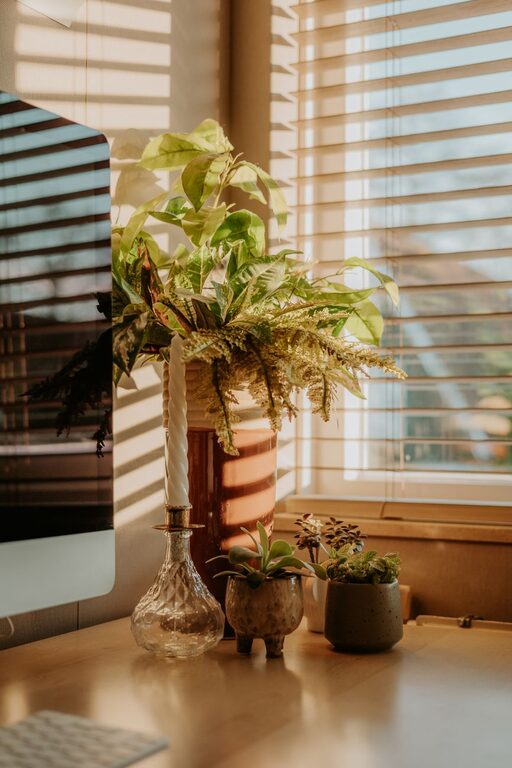
– Natural Light: Position your desk near a window to benefit from natural light. This can improve mood and alertness.
– Quiet Environment: Choose a quiet area where interruptions are minimal. If that’s not feasible, consider noise-cancelling headphones.
Invest in Comfortable and Functional Furniture
Comfort plays a big role in maintaining productivity during long work hours. The furniture you choose should support good posture and be suited to your tasks.
– Ergonomic Chair: Select a chair with adjustable height, lumbar support, and comfortable cushioning.
– Desk Size: Ensure your desk is large enough to hold your computer, accessories, and any documents without feeling cluttered.
– Adjustable Equipment: Consider sit-stand desks or laptop stands to alternate between sitting and standing positions.
Organise Your Workspace Efficiently
An organised space makes it easier to focus and prevents stress caused by clutter. Setting up an effective system for your work essentials is key.
– Declutter Regularly: Clear your desk of unnecessary items daily.
– Use Storage Solutions: Use shelves, drawers, or baskets to keep supplies and paperwork tidy.
– Cable Management: Use clips, ties, or trays to manage cables and prevent tangling.
– Essential Tools Only: Keep frequently used items within easy reach but store away less-used things.
Optimise Lighting for Comfort and Productivity
Lighting affects your energy, alertness, and eye comfort. A combination of natural and artificial light offers the best results.
– Avoid Glare: Position your screen to avoid reflections from windows or bright lights.
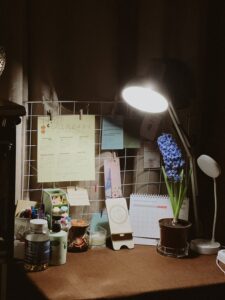
– Task Lighting: Use a desk lamp with adjustable brightness to illuminate your workspace.
– Warm vs Cool Light: Use cooler light during the day to stay alert and warmer light in the evening to avoid disruption of your sleep cycle.
Minimise Digital Distractions
Technology is both a help and a hindrance when working from home. Controlling digital distractions can improve your concentration.
– Turn Off Notifications: Disable non-essential notifications on your phone and computer during work periods.
– Use Productivity Apps: Consider apps that block distracting websites or track your focused work sessions.
– Separate Devices: Use a work-only device where possible to reduce personal distractions.
Create a Personalised and Inspiring Space
Your workspace should motivate you and reflect your personality without compromising professionalism.
– Add Plants: Indoor plants improve air quality and add a calming presence.
– Personal Touches: Include photos, artwork, or inspirational quotes.
– Colour Choices: Use colours that promote focus such as blues and greens, avoiding overly bright or distracting shades.
Set Boundaries and Maintain Routine
A productive workspace is more than just physical – setting boundaries and routines supports sustained focus.
– Work Hours: Establish clear start and finish times to separate work from leisure.
– Breaks: Schedule regular short breaks away from screens to rest your eyes and stretch.
– Communicate: Let household members know your work times to minimise interruptions.
Maintain Good Air Quality and Temperature
Comfortable air quality and temperature can greatly affect your focus and wellbeing.
– Ventilate: Open windows regularly to allow fresh air in.
– Temperature Control: Use fans, heaters, or air conditioning to keep the room at a comfortable temperature, usually between 19–22°C (66–72°F).
– Humidity: Keep humidity levels moderate to avoid dryness or stuffiness.
Stay Hydrated and Keep Snacks Handy
Your body needs fuel just as much as your mind to stay productive.
– Water: Keep a water bottle on your desk to remind you to stay hydrated.
– Healthy Snacks: Have nutritious snacks nearby for energy boosts without the crash.
—
Creating a productive home workspace is about creating an environment that supports your work habits, comfort, and mental wellbeing. By implementing these tips, you can maximise your focus and productivity no matter the size or location of your home workspace. Remember that personal preferences vary, so adjust your setup over time until it truly feels like your ideal work zone.