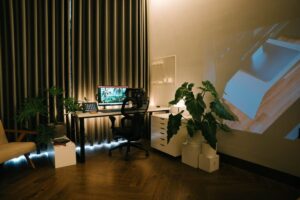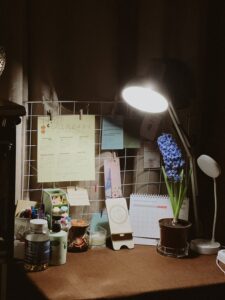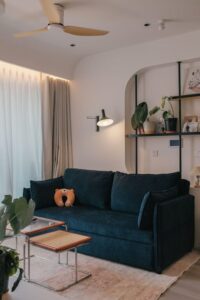
Tips for Creating a Relaxing and Productive Home Workspace
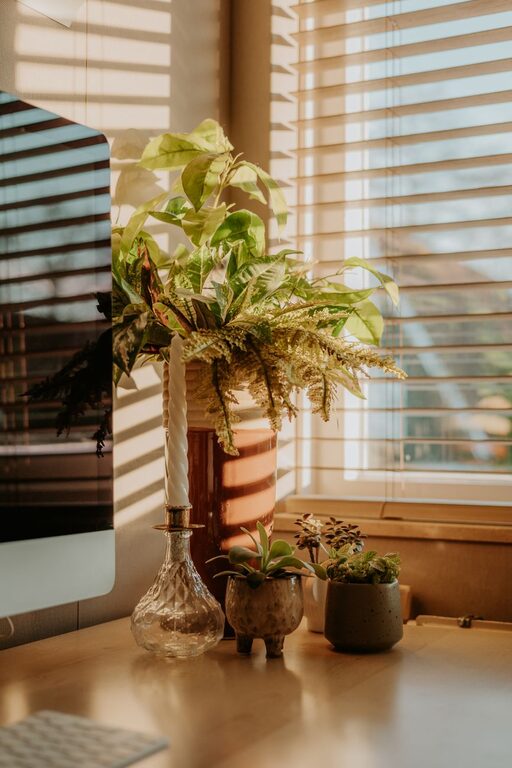
Creating a home workspace that is both relaxing and productive is essential in today’s world, where remote working has become commonplace. A thoughtfully organised and comfortable environment can help you focus, reduce stress, and make your working hours more enjoyable. Whether you have a dedicated room or a small corner, these tips will guide you in crafting a workspace that supports your well-being and efficiency.
Choose the Right Location
Prioritise Natural Light
Select a spot with plenty of natural light to help improve mood and energy levels. Position your desk near a window if possible, but ensure that direct sunlight doesn’t cause screen glare.
Minimise Loud Noises
Try to pick a quiet area away from household traffic or noisy appliances. If complete silence is not possible, consider using noise-cancelling headphones or soft background music to drown out distractions.
Invest in Comfortable Furniture
Ergonomic Chair and Desk
Choosing an ergonomic chair supports good posture, helping to prevent back and neck strain. Your desk should be at an appropriate height that allows your elbows to rest comfortably at a 90-degree angle when typing.
Adjustable Setup
If space allows, consider a sit-stand desk to vary your working position throughout the day, which can improve circulation and reduce fatigue.
Keep Your Workspace Organised
Declutter Regularly
A tidy workspace helps maintain focus and reduces stress. Use drawers, shelves, or storage boxes to keep essentials organised and out of sight when not in use.
Use Desk Organisers
Trays, holders, and cable organisers keep your desktop neat and make it easier to locate items quickly.
Incorporate Elements That Promote Relaxation
Add Plants
Indoor plants enhance air quality and add a calming natural element. They can also make your workspace feel more inviting.
Personal Touches
Include small personal items like photos, artwork, or inspirational quotes, but avoid over-decorating as this can cause distractions.
Use Soothing Colours
Soft, muted tones on walls or accessories help create a peaceful atmosphere. Blues, greens, and earth tones are especially calming.
Manage Lighting Carefully
Avoid Harsh Fluorescent Lights
Instead, opt for warm, adjustable lighting. Desk lamps with brightness controls enable you to tailor the light according to the time of day and your task.
Position Lighting Correctly
Ensure that light sources do not create glare on your screen or cast shadows on your work surface.
Minimise Distractions
Separate Work and Leisure Spaces
If possible, designate your workspace as a ‘work-only’ zone to help mentally distinguish between work time and relaxation time.
Limit Digital Interruptions
Use apps or settings to block non-essential notifications during work hours and keep your phone out of immediate reach.
Prioritise Good Air Quality and Temperature
Ventilate the Room
Fresh air improves concentration and energy. Open windows regularly or use an air purifier if fresh air is limited.
Comfortable Temperature
Maintain a room temperature between 20-22°C. Too hot or too cold environments can reduce productivity.
Develop a Daily Routine
Set Working Hours
Having consistent start and finish times helps maintain balance and prevents overworking.
Take Regular Breaks
Apply techniques like the Pomodoro Method — work in focused intervals (e.g., 25 minutes) followed by short breaks to rest your eyes and stretch.
Utilise Technology Wisely
Organise Digital Files
Keep your computer desktop and folders tidy for easier access to necessary documents.
Use Productivity Tools
Project management apps, calendars, and timers can assist in managing workload efficiently.
—
By combining these strategies, you can create a home workspace that supports both your productivity and well-being. Remember, the best environment is one tailored to your personal needs, balancing function with comfort. With a little planning and attention, your home office can be a place where you look forward to working every day.